
Your Hub, In Your Pocket.
Mobile App (Pro)
Take your Kaiju Hub AI workspace with you. Manage projects and files, use Git, chat with AI by text or voice, run builds, deploy, and work with your Block Library and marketing campaigns.
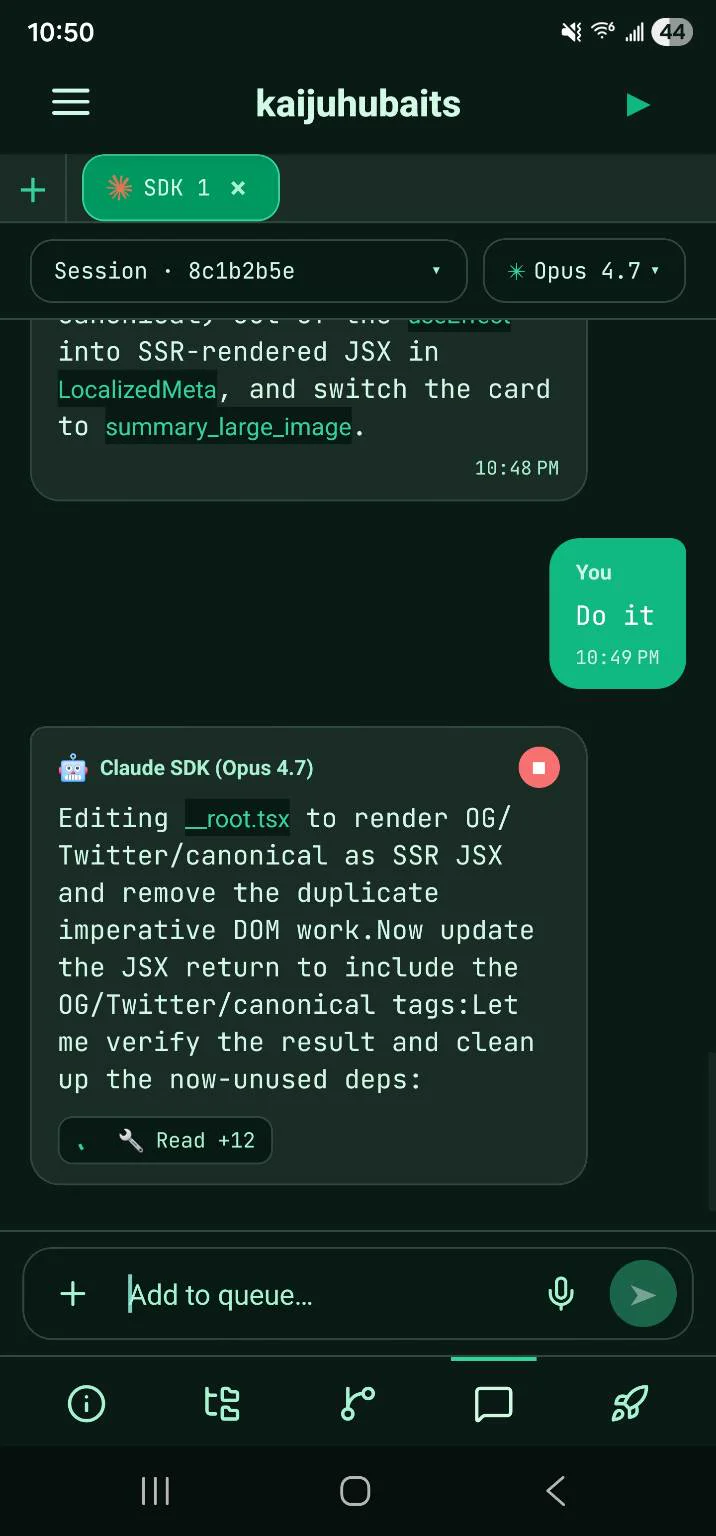
A Remote Control for Your Workspace
The Kaiju Hub AI mobile app pairs to your desktop and lets you drive your projects from your phone — no matter where you are.
QR Code Pairing
Sign in with your Kaiju Hub AI account, scan a QR code from the desktop app, and approve the device to establish an encrypted pairing.
AI Chat & Voice
Chat with Claude Code, Codex, Gemini CLI, or Grok, choose reasoning effort, and use the hands-free voice assistant while you are away from your desk.
Builds & Deploys on the Go
Run configured project builds, inspect logs and artifacts, sync Git, and deploy to Vercel, Netlify, or WordPress from the mobile app.
Projects & Files
Browse project thumbnails, reorder your projects, start or stop a workspace, edit project details, and navigate files from your phone.
End-to-End Encrypted
Authenticated protocol v3 frames protect paired traffic with replay detection and fail-closed validation, while PIN and biometric locks protect the app on your phone.
Pro Feature
The mobile companion app is included with Kaiju Hub AI Pro. One subscription covers every paired phone for your desktop workspace.
Pair Your Phone to Kaiju Hub AI
Sign in to the mobile app with your Kaiju Hub AI account, open pairing on the desktop, and scan its QR code. After you approve the device, the apps establish an encrypted channel and your phone becomes a trusted companion for that workspace.
- Instant QR-code pairing directly from the desktop hub
- End-to-end encrypted keys generated per pairing
- Account sign-in plus explicit device approval
- Pair multiple phones to a single Kaiju Hub AI workspace
- Revoke any paired device in one tap
Chat and Command From Anywhere
Use persistent project conversations with Claude Code, Codex, Gemini CLI, or Grok. Select a model and reasoning effort, follow streaming responses, and use the hands-free voice assistant to continue work while you are moving.
- Send prompts to Claude Code, Codex, Gemini CLI, and Grok
- Read streaming responses and CLI output from your phone
- Switch between projects and active sessions on the go
- Use reasoning controls and hands-free voice without opening a laptop
Projects, Builds, Git, and More
The mobile companion exposes the parts of your workspace that matter away from your desk: project controls and files, Git status and synchronization, build targets and artifacts, deployment providers, reusable blocks, and Marketing Hub campaigns.
- Start and stop projects, edit details, and browse files
- Review Git status, sync changes, inspect branches, and link repositories
- Run configured builds and inspect logs and artifacts
- Deploy through Vercel, Netlify, or WordPress project targets
- Browse the Block Library and manage marketing campaigns
Ready to build your next app with AI?
Try Kaiju Hub AI today and start building with AI. Free to download — design, generate code, and ship faster.
Get Started Free